Why a PDF Can't Just Be Shrunk Down to an Apple Watch
Fitting an A4 page on a watch means shrinking 11pt type to 1.7pt, and zooming back in leaves you reading a fortieth of the page through a keyhole. The arithmetic rules out showing the page — so the words have to leave it. What that costs, and what it takes.
Created by Bee
Every so often someone asks why a reading app can’t simply show them the PDF. It’s a fair question, and it has a numerical answer rather than an opinion. The arithmetic is worth doing once, because everything else about reading on a watch follows from it.
The arithmetic
An A4 page is 210mm wide. US Letter is 216mm. The usable display width of a 46mm Apple Watch is about 32mm — 416 pixels at roughly 326 pixels per inch.
To fit the page across that screen you shrink it by about 6.5 times.
Body text in a typical document is set at 11 point. Divide by 6.5 and you get 1.7 point. For scale, the fine print in a contract is usually 6 point, and 8 point is the floor for most accessibility guidelines. 1.7 point is not small text; it is a grey smear. No display technology rescues this — the limit is your eye, not the pixel density.
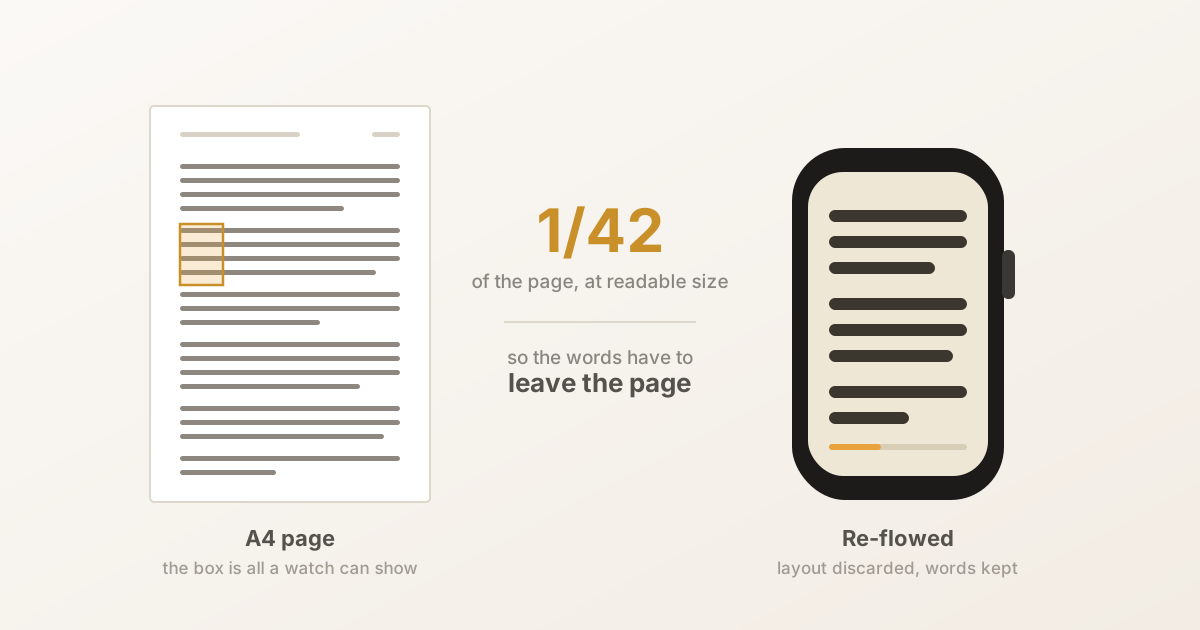
So showing the whole page is out. The alternative is to zoom back in to a readable size, which is what a PDF viewer does. But zooming by 6.5 in each direction means you now see 1/42 of the page at any moment.
The diagram at the top of this page is drawn to scale — the highlighted box on the A4 page is exactly the share a watch can show at a size you could read.
One forty-second of a page is narrower than a single line of text. That matters more than it sounds, because of how reading works: your eye moves along a line in jumps and then makes a return sweep to the start of the next one. A viewport narrower than a line breaks that cycle. You are no longer reading; you are panning left and right, once per line, forever.
This is why “just show the page and let me zoom” fails. It isn’t a UI problem that better gestures could solve. The page and the screen are incompatible sizes, and no amount of interaction design closes a factor of 6.5.
So the words have to leave the page
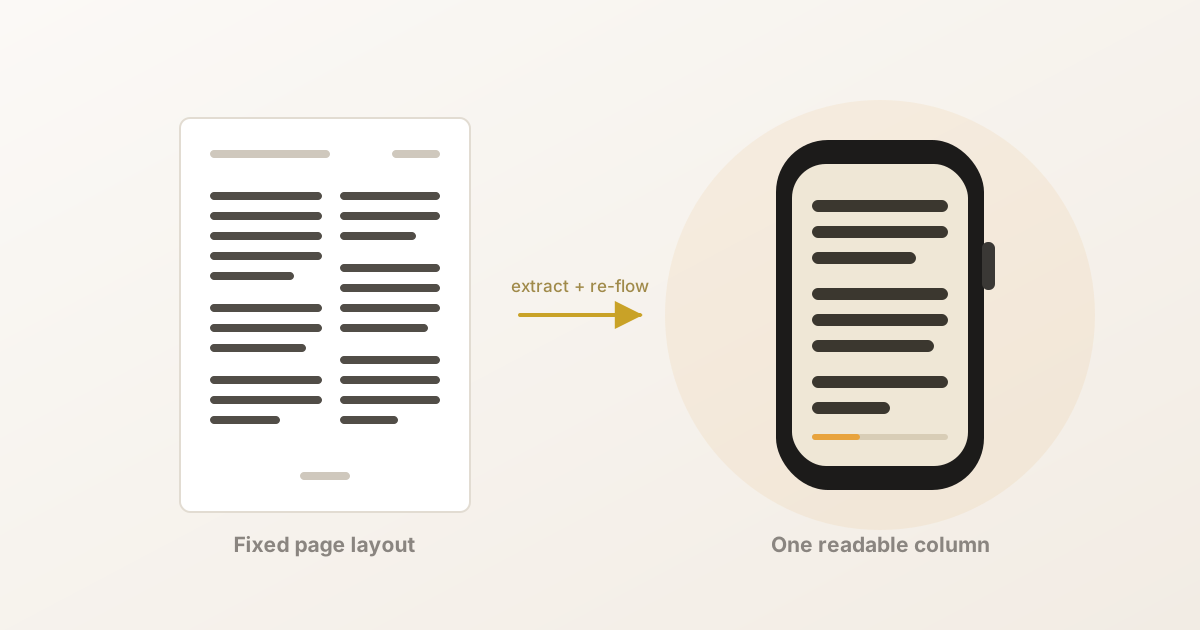
If the page can’t come to the watch, the text has to — re-wrapped to the width the screen actually has. That’s re-flowing, and it’s what EPUB, web pages and every e-reader do as a matter of course.
PDF can’t, and the reason is historical. PDF descends from PostScript, a language for driving printers. Its purpose was to guarantee that a document looks identical everywhere — same page, same line breaks, same everything, on any printer in any country. That guarantee is achieved by making the layout immutable. Immutability is the feature.
It is also precisely what you cannot have on a watch.
What a PDF actually contains
Here is the part that surprises people. Internally, a PDF says things like:
place glyph A at coordinate (72, 540), in Times, at 11pt place glyph n at coordinate (79.2, 540), in Times, at 11pt
That’s it. It does not record that those glyphs form a word, that the word belongs to a sentence, that the sentence belongs to a paragraph, or that the paragraph continues onto the next page. In many PDFs there aren’t even spaces — word gaps are just larger coordinate jumps.
A PDF is much closer to a picture of text than to a document. A scanned PDF, which really is a picture, is different in degree rather than in kind — and that is why it can’t be read at all until OCR gives it a text layer.
So re-flowing a PDF is not a conversion. It is a reconstruction of information the format never stored.
What reconstruction involves
Each of these is a guess made from geometry, and each has a characteristic failure you may have seen:
- Word boundaries — inferred from the size of horizontal gaps. Get it wrong
and you get
thewordsruntogetherors p a c e d o u t. - Line and paragraph structure — every visual line ends in a break, so sentences arrive pre-chopped at the original page width. They have to be rejoined, and a genuine paragraph break has to be told apart from a mere line ending, usually from indentation and vertical spacing.
- Hyphenation — words split across a line end come through as
neigh-andbourhood, and must be stitched back together without wrongly merging real hyphenated words. - Running headers and footers — the title and page number repeat on every page and sit in the text layer like any other words. Left alone they splice through the prose: “…she had never seen PRIDE AND PREJUDICE 47 him look so well.” They’re detected by noticing that the same text recurs at the same position page after page.
- Reading order — in two columns, the naive top-to-bottom order interleaves the columns into nonsense. The columns have to be found and read in turn.
- Figure captions — the watch shows no images, so “Figure 3. Annual rainfall, 1890–1910” otherwise lands between two unrelated sentences with nothing to explain it.
And one that is easy to miss until you hit it: a page break almost always falls mid-sentence. So the pages of a chapter have to be joined before the text is re-flowed. Re-flow each page on its own and you permanently freeze every page boundary into a paragraph break. If you’ve ever seen one app’s PDF import read cleanly and another’s read like a ransom note, this is usually the difference.
What it costs
Re-flowing is lossy, and it’s worth being straight about that.
Tables don’t survive. A table is a grid; its meaning is in the alignment between cells. Flatten it into a sequence of sentences and the meaning is gone. There’s no honest way around this on a 32mm screen.
Figures and equations don’t survive either — a displayed equation is a layout, and the watch has no room for it regardless.
Complex layouts degrade. Sidebars, pull quotes, footnotes and multi-column academic papers are all reading-order problems, and reading order is the guess most likely to be wrong.
Which is to say: re-flowing trades the page for readable prose. For a novel, a report or a long article, that trade is overwhelmingly worth it — the layout was carrying almost nothing you needed. For a boarding pass, a wiring diagram or a spreadsheet, the trade is a disaster, because the layout was the content.
Which is why viewers exist, and are right
This is the honest conclusion, and it’s why we don’t think the PDF viewer apps are doing it wrong.
If what you need is to check a gate number, confirm a clause, or glance at a diagram, you want the page, and you want to zoom around it. The 1/42 keyhole is fine for that, because you already know the shape of what you’re looking for and you only need a few seconds with it. A viewer is the correct tool, and re-flowing would actively destroy what you came for.
The two camps aren’t competitors with different feature lists. They’re answers to different questions, and the arithmetic above is what separates them.
So we built a reader
BeeReader extracts the text and re-flows it — headers and footers stripped, hyphens stitched, pages joined before re-flowing, captions folded out of the prose — and then hands you one comfortable column that you scroll with the Digital Crown.
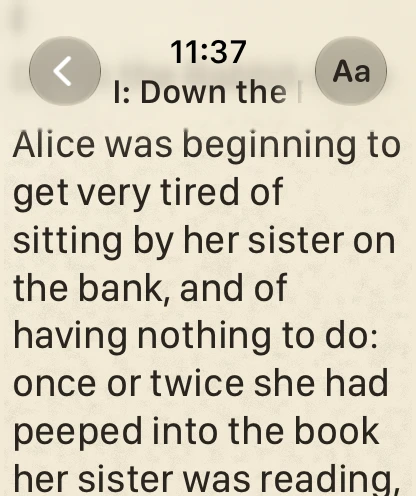
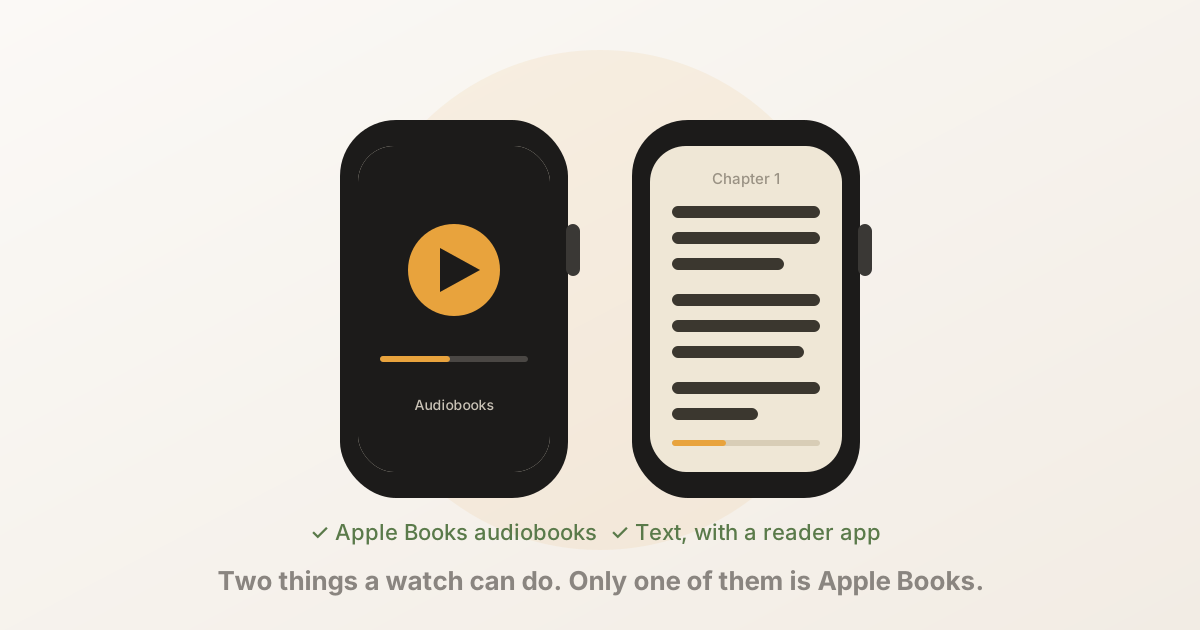
It will not show you a table, and it will not show you a diagram. It reads books. That limitation isn’t a roadmap item we haven’t got to — it’s the consequence of the only decision that makes reading on a watch possible at all.
If you want the practical version of all this, the PDF guide covers getting files across and what to do when it goes wrong, and the app comparison covers who’s in which camp.
More step-by-step guides to reading on the watch are on Read on Watch, our guide site for BeeReader.
Frequently asked questions
- Why can't an Apple Watch just display a PDF page?
- Because of the arithmetic. An A4 page is 210mm wide and a 46mm Apple Watch has about 32mm of usable width, so fitting the page means shrinking it about 6.5 times — turning 11pt body text into roughly 1.7pt, far below anything legible. Zoom back to a readable size and you can see about one forty-second of the page at a time, which is narrower than a single line of text.
- What does it mean to re-flow a PDF?
- Re-flowing means discarding the page layout and keeping only the words, then re-wrapping them to whatever width the screen actually has. It is what EPUB and web pages do natively. A PDF cannot do it on its own, because it stores the position of each piece of text rather than the sentences they belong to, so the sentence structure has to be reconstructed before the text can be re-wrapped.
- Why is a PDF harder to re-flow than an EPUB?
- An EPUB is essentially a zipped website — HTML that labels headings, paragraphs and emphasis, designed from the start to adapt to any screen. A PDF descends from PostScript and describes a printed page: it says to place a given glyph at given coordinates in a given font. It records no paragraphs, often no word boundaries, and no reading order, so all of that has to be inferred back out of the geometry.
- What gets lost when a PDF is re-flowed?
- Anything whose meaning lives in the layout. Tables collapse, because a table is a grid rather than a sentence. Figures and equations cannot be shown on a watch at all. Multi-column pages have to be put back into a single reading order, which is guesswork on complex layouts. Re-flowing is lossy by nature — it trades the page for readable prose.
- Why can't a reader app open a scanned PDF?
- A scanned PDF is a photograph of a page wrapped in a PDF container. It has no text layer at all, so there are no words to extract or re-flow. Running it through OCR first creates that text layer, after which it imports like any other PDF.