How to Turn Your iPhone Duo Into a Turntable
Stand iPhone Duo part open and BeeTunes lays a turntable on the lower half under a raised dust cover — or a CD player or cassette deck with the track list laid out below. Here's what each way of holding the Duo does.
Created by Bee
Short answer: install BeeTunes, open your iPhone Duo flat and pick a record, then fold the top half up and stand the phone on a table. The lower half becomes a turntable playing that record, and the upper half is its dust cover, propped open, with the spinning record mirrored in it. The CD player and the cassette deck do the same with their own paper: a booklet or a J-card laid open below the machine, the songs on it there to tap.
BeeTunes is our player for your own music and Apple Music, played on vintage machines. Version 2.7 is the first built for iPhone Duo, and each way of holding the phone gets its own layout. Here’s what they do.
What you need
- An iPhone Duo.
- BeeTunes 2.7 or later, free on the App Store. All five machines are free, and there’s no account.
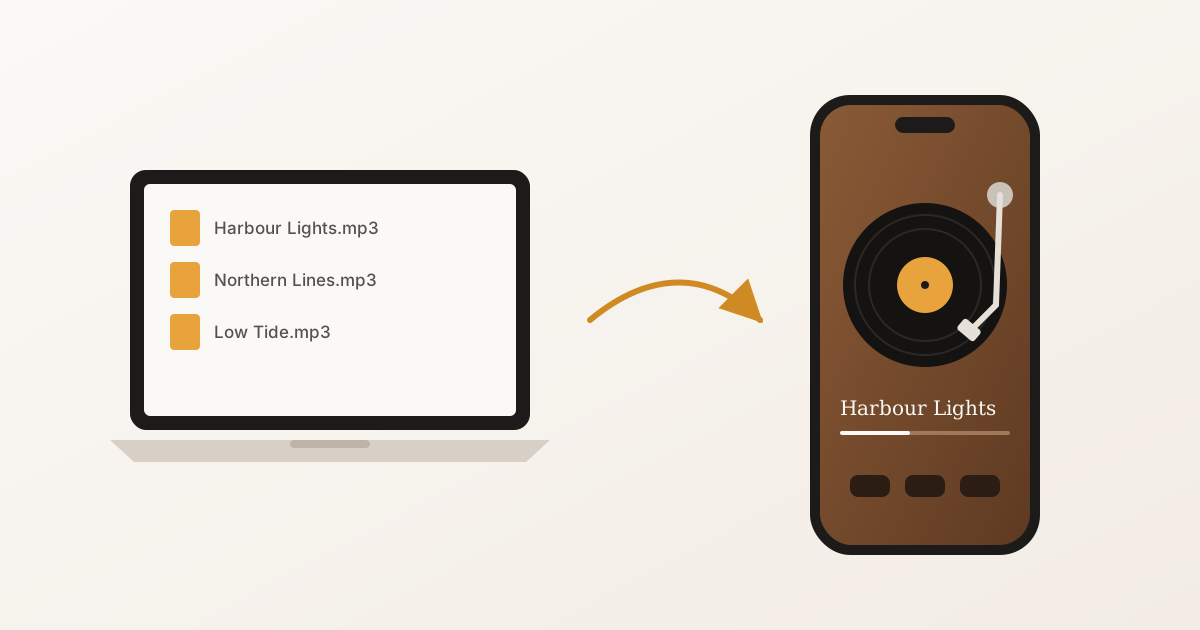
- Some music: songs you’ve imported from Files, iCloud Drive or AirDrop (here’s how to get MP3s onto an iPhone), or Apple Music if you subscribe.
Every way to hold it
| How you hold the Duo | What BeeTunes shows |
|---|---|
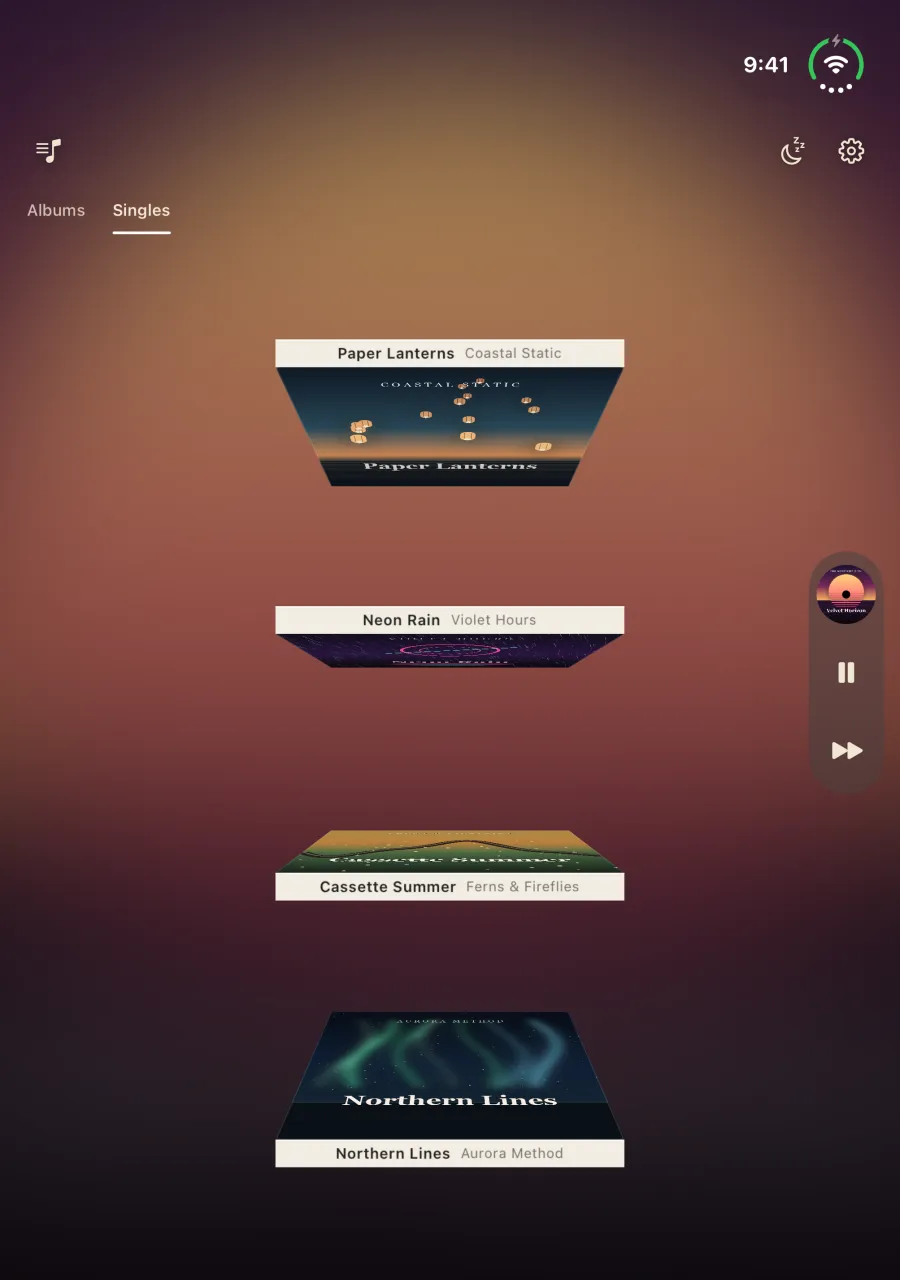
| Open flat, the fold running across | Your whole collection in a crate. Pick a record and it plays |
| Stood part open on a table | The machine on the lower half, something to watch on the upper half |
| Open like a book, the fold running down | The crate again. Pick a record, then close the Duo to play it |
| Shut | The machine on the outer display, as on any iPhone |
The turntable, the CD player and the cassette deck use all four. The radio and the digital player have no crate: opened out, they keep two pages, your collection on one and the machine on the other.
Open it flat to pick a record
Open the Duo all the way and turn it so the fold runs across the screen, one half above the other. BeeTunes stands your whole collection in a crate. Flip through it, pick an album, and it flies into the now-playing strip at the edge and starts to play — on a record, a tape or a disc, depending on the machine you’re using.
Stand it part open to watch it play
Now fold the top half up partway and stand the Duo on a table, the lower half lying flat, as you would a small laptop. The half lying on the table is for your hands; the half standing up is for watching.
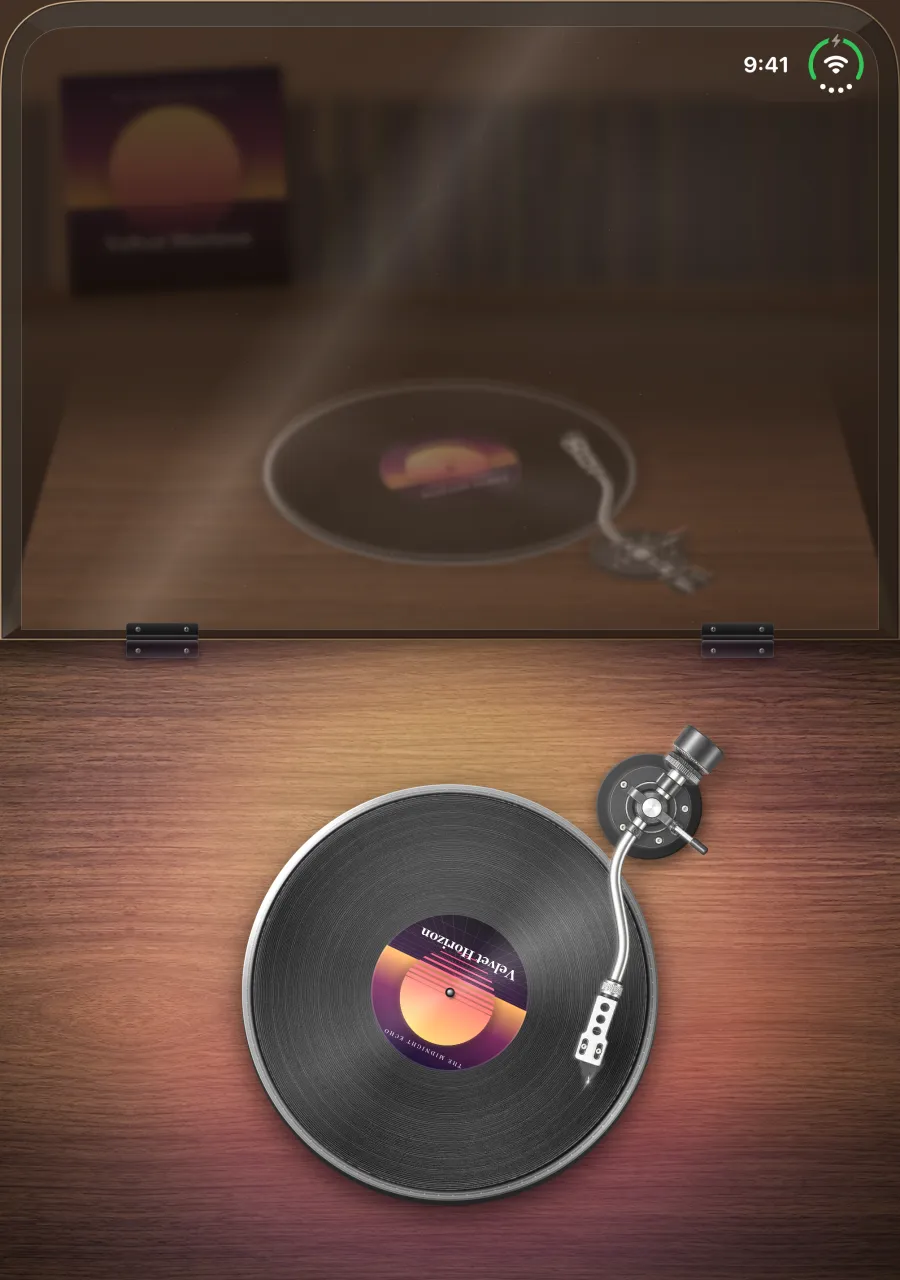
The turntable lies on the lower half, playing the record you picked. The upper half is its dust cover, raised: smoked acrylic with the turning record mirrored in it, and the album standing on a shelf behind.
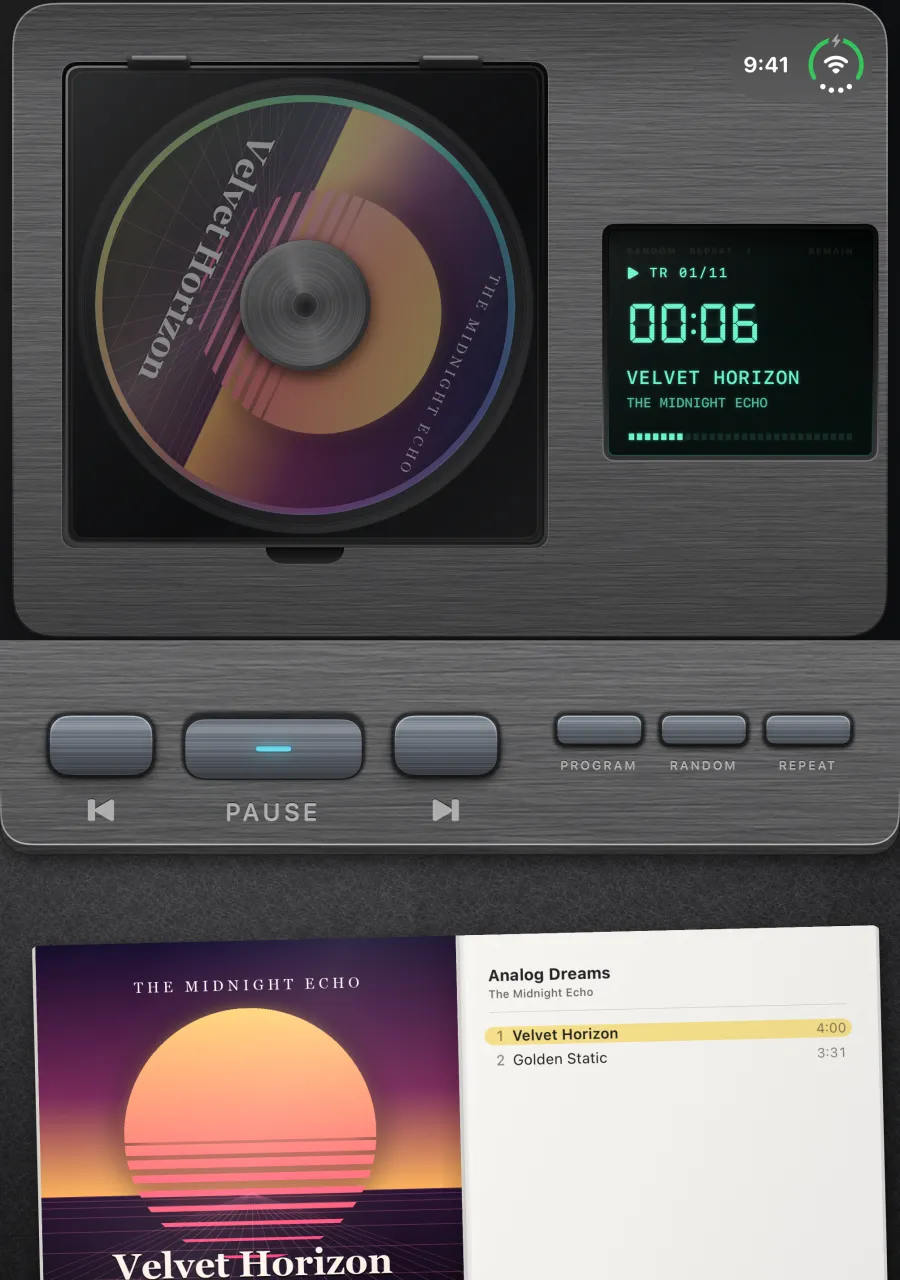
The CD player stands on the upper half, the disc turning beside a glowing display. Its keys run along the top of the lower half, and below them the album’s booklet lies open on felt, the track list on its right-hand page. Tap a song to play it.
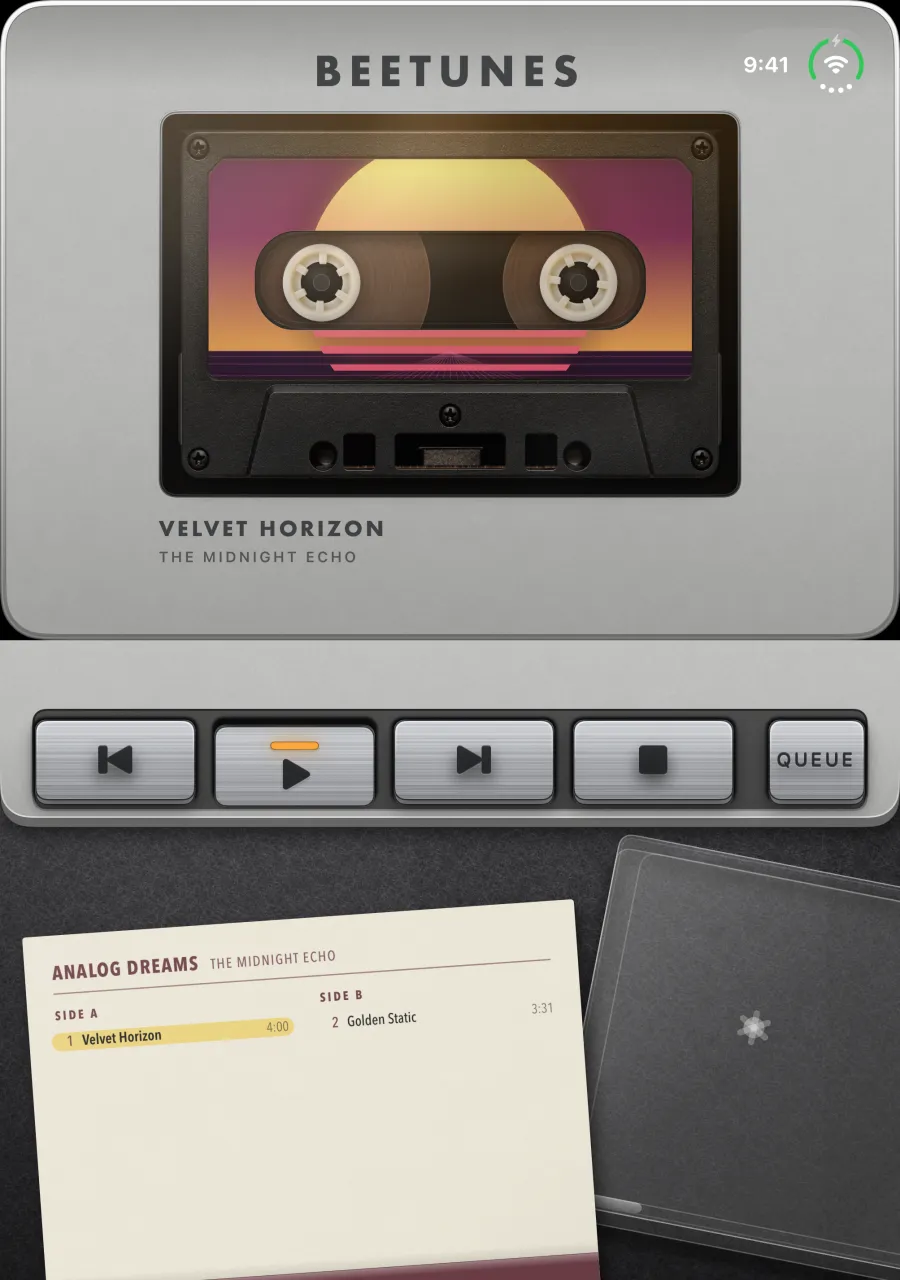
The cassette deck stands on the upper half with the tape turning behind its window. Its keys run along the lower half, and below them the open case lies on felt with its J-card, the songs written on Side A and Side B. Tap one to play it.
To play a different album, open the Duo flat again and pick another from the crate.
Open it like a book, then close it to play
Hold the Duo open like a book, the fold running down the middle, and the inside is the crate again. If nothing is playing, picking a record puts it on without starting it, and Close to Play appears for a few seconds. Close the Duo and the record plays on the outer display, the way shutting a deck’s door on a tape would start it.
Shut, it’s an iPhone
Closed, the outer display shows BeeTunes as it is on any iPhone: one machine at a time, a swipe sideways for the next. The Home Screen widgets, the Lock Screen card and the Apple Watch app all work as usual, and so does everything else in the app — your imported songs play offline, and Apple Music streams if you subscribe.
The screenshots on this page were captured from BeeTunes 2.7 in the iPhone Duo simulator.
Frequently asked questions
- Is there a turntable app for iPhone Duo?
- Yes. BeeTunes, free on the App Store, turns iPhone Duo into a turntable: open the Duo flat, pick a record, then stand it part open, and the record plays on the lower half under a raised dust cover. A CD player and a cassette deck work the same way, and there is a radio and a digital player too.
- Is there a cassette player app for iPhone Duo?
- BeeTunes has a cassette deck. Pick a tape from the crate, then stand the Duo part open: the deck stands on the upper half and its J-card lies on the lower half, the songs on it there to tap. Or open the Duo like a book, pick a tape, and close the phone to start it on the outer display.
- What happens when I close my iPhone Duo while BeeTunes is playing?
- The music keeps playing, and BeeTunes moves to the outer display, where it works as on any iPhone. If you put a record, tape or disc on with the Duo open like a book while nothing was playing, closing the phone is what starts it.
- Is BeeTunes free on iPhone Duo?
- Yes. The player, all five machines and the iPhone Duo layouts are free, with no account. BeeTunes Pro, a one-time purchase rather than a subscription, unlocks the rest of the Home Screen widgets and lets you send your Apple Watch as many songs as it will hold.
- Does BeeTunes play Apple Music on iPhone Duo?
- Yes, with an active Apple Music subscription and an internet connection: search for a song or an album and play it on any machine. Songs you import yourself are stored on the phone and play offline.
- Do I need an iPhone Duo to use BeeTunes?
- No. BeeTunes runs on any iPhone or iPad with iOS 18 or later, and has an Apple Watch app. The folding layouts appear only on iPhone Duo.